
Bill Payment Reminder, Budgets
TimelyBillsFinance
4.57.71K Reviews
- Version
- 1.26.027
- Installs
- 1.00M
- Age Rating
- Everyone
Screenshots

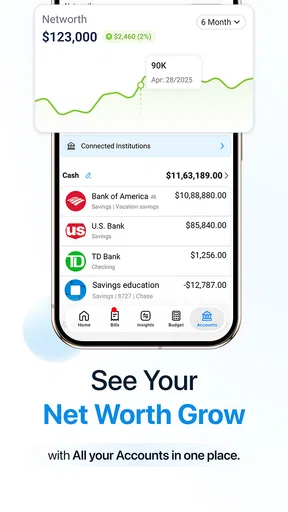
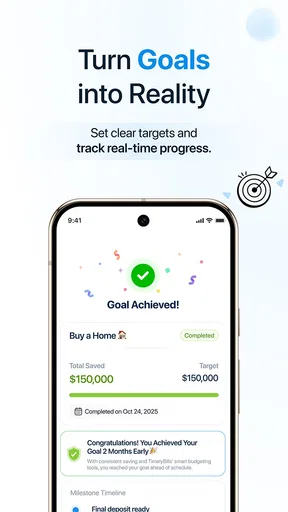
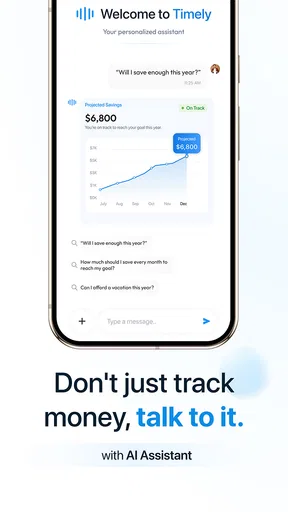
Our Review of Bill Payment Reminder, Budgets
 Analysis by Appyee
If you're anything like me, juggling bills and budgets can sometimes feel like trying to herd cats. Luckily, I stumbled upon an app that might just be the superhero we all need in our financial lives. Let me introduce you to Bill Payment Reminder, Budgets, an app that promises to keep your finances in check without breaking a sweat.
Setting Up for Success
Getting started with Bill Payment Reminder, Budgets is as easy as pie. Once you download the app from either the Google Play Store or the Apple App Store, you'll be guided through a straightforward setup process. The app intuitively asks for your billing information, due dates, and any recurring expenses you might have. I was pleasantly surprised by how smoothly it handled my messy financial data, organizing it all into neat little categories.
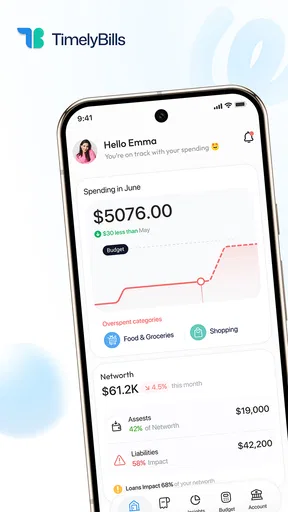
The user interface is a breath of fresh air—clean, modern, and incredibly user-friendly. It didn’t take long for me to feel right at home navigating through its features. If you're worried about data security, rest easy; the app uses top-notch encryption to keep your information safe and sound.
Features That Make Life Easier
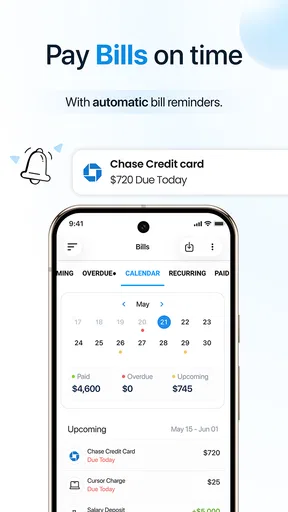
One of the standout features of this app is its customizable reminders. You can set alerts for upcoming bills, and even get nudges for those pesky subscription renewals you always forget about. The notifications are timely and non-intrusive, making sure you never miss a payment again.
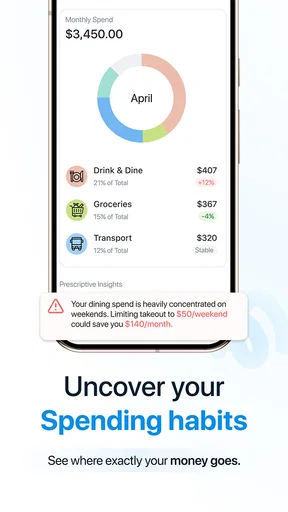
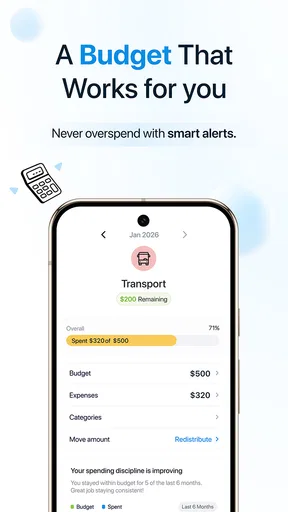
Budgeting is another area where this app shines. It offers an easy way to track your spending habits with clear visuals and charts. You can set monthly budgets for different categories, like groceries or entertainment, and the app will keep you updated on how well you’re sticking to your goals. Trust me, seeing those numbers in a chart makes you think twice before splurging on that extra latte.
Integration and Compatibility
One of the things I love about this app is its seamless integration with other financial tools. Whether you're using banking apps or digital wallets, Bill Payment Reminder, Budgets syncs effortlessly, ensuring all your financial data is centralized. This makes it a super handy tool for anyone with multiple accounts or payment methods.
What’s more, the app is compatible with both Android and iOS devices, so you can switch between your phone and tablet without missing a beat. It even has a web version if you prefer handling your finances on a bigger screen. Flexibility is key, and this app delivers on that front.
Customer Support and Community
Having reliable customer support is crucial for any app, and this one doesn’t disappoint. The support team is responsive and genuinely helpful. I had a minor issue during setup (user error, oops!), and they walked me through the solution in no time.
Moreover, the app features a community forum where users can share tips, tricks, and experiences. It’s a great resource if you want to learn how others are optimizing their financial routines using the app.
Final Thoughts
In today's fast-paced world, having an app like Bill Payment Reminder, Budgets is like having a personal financial assistant in your pocket. It’s perfect for anyone looking to streamline their finances, avoid late fees, and stay on top of their spending habits. While no app is perfect, this one comes pretty darn close, offering a mix of powerful features and ease of use that’s hard to beat.
If you’re ready to take control of your financial life, give this app a whirl. It might just be the tool you need to turn financial chaos into clarity. So, what are you waiting for? Dive in and start managing your money like a pro!
Verdict
Strengths of Bill Payment Reminder, Budgets
- Easy-to-use interface, perfect for beginners.
- Customizable reminders to fit your schedule.
- Supports multiple currencies for global use.
- Syncs automatically across devices.
- Budget tracking and analysis tools included.
Limitations of Bill Payment Reminder, Budgets
- Limited integration with banking apps.
- No offline mode available.
- Ads in the free version can be intrusive.
- Lacks advanced financial features.
- Some users report occasional sync issues.
Similar Picks in This Category
View All
Google Wallet
Google LLC4.3

Airtel: Recharge, Bank & Loans
Airtel4.0

PayPal - Pay, Send, Save
PayPal Mobile4.2

DANA Indonesia Digital Wallet
PT Espay Debit Indonesia Koe4.5

Binance: Buy Bitcoin & Crypto
Binance Inc.4.8

Cash App
Block, Inc.4.7
Frequently Asked Questions
What features does the Bill Payment Reminder, Budgets app offer?
The app offers a range of features including customizable bill reminders, detailed budget planning tools, and expense tracking. Users can set up notifications for upcoming payments to avoid late fees, and the budgeting tools allow for creating and managing financial goals. Additionally, it supports multiple currencies and provides insights into spending habits.
How secure is my financial information within the app?
Security is a top priority for this app. It uses encryption to protect your data and requires authentication for access. The app does not store sensitive information on its servers, ensuring that your financial details remain private. Additionally, users can enable biometric login for added security.
Can I sync the app with my bank accounts?
Yes, the app supports synchronization with a wide range of bank accounts, allowing for automatic import of transactions. This feature helps in providing a comprehensive view of your financial status. The app partners with secure third-party services to facilitate this functionality without compromising your data’s safety.
Is the app available for both Android and iOS devices?
Absolutely, the Bill Payment Reminder, Budgets app is available on both Android and iOS platforms. It is designed to provide a seamless experience across devices, ensuring users can access their financial information and reminders anywhere, anytime. Regular updates ensure compatibility with the latest operating systems.
Are there any in-app purchases or subscription fees?
The app offers a free version with basic features, but for advanced tools like detailed analytics and unlimited account linking, there is a subscription model. Users can choose between monthly or yearly plans, and there are occasional promotions and discounts available for new subscribers.
